Big ideas deserve big screens.
Try viewing on desktop.
Virtual Planning Sandbox
How we helped 🫡 Indian Defense units move from static sand models to a digital planning tool that enables real-time collaboration across ranks.

Year
2025
Product
Webapp
My Role
Sole UI/UX Designer
Duration
3-4 Months
Problem Statement
In Army most mission planning still runs on paper maps, sand tables, or static 3D models : hard to edit, expensive, disconnected from real terrain, and unusable for live collaboration. Even small changes require rebuilding the entire setup from scratch.
We Needed Something better :
A collaborative tool that supports
rapid changes
honors military hierarchy,
& works in real time.

Solution at a glance
We replaced rigid setups with real data, infinite terrain, and
real-time control.
We replaced rigid setups with real data, infinite terrain, and real-time control.
After ✨
Dynamic Terrain
Real-world
up-to-date maps that increase mission planning accuracy & flexibility.
No size limits, no rigid setups.
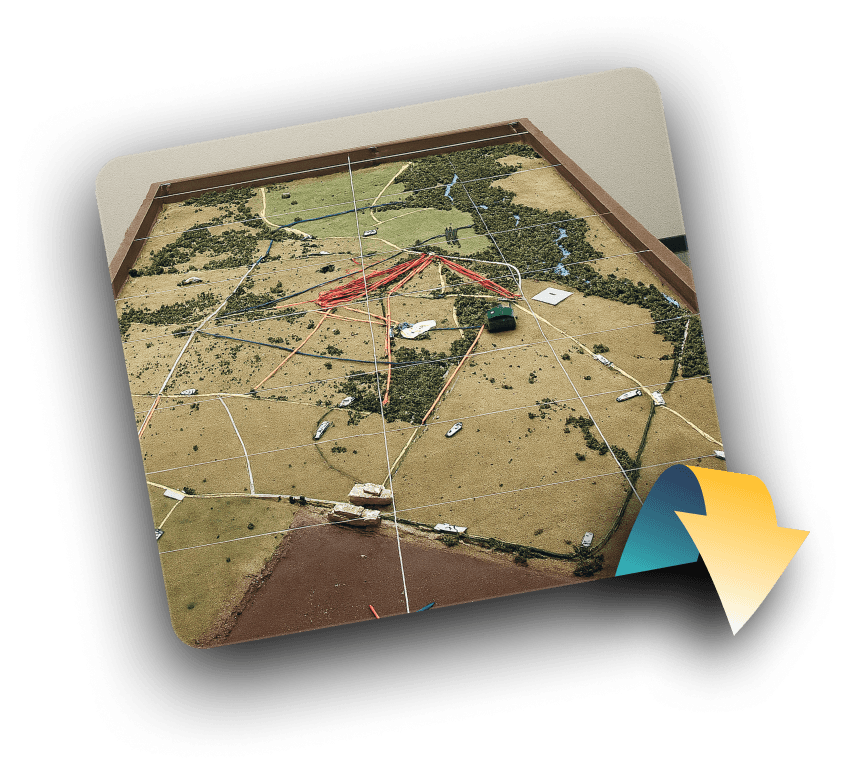
Before
Static Models
Prefab terrain, limited area, can't adapt to real landscapes
Before
Static Models
Prefab terrain, limited area, can't adapt to real landscapes
After ✨
Collaboration
Now, assets can be placed instantly, moved freely, scaled, and updated on the fly, giving teams more time to focus on strategy, not setup.
Before
Miniatures
Fixed elements, long setup time, limited scale, no quick edits
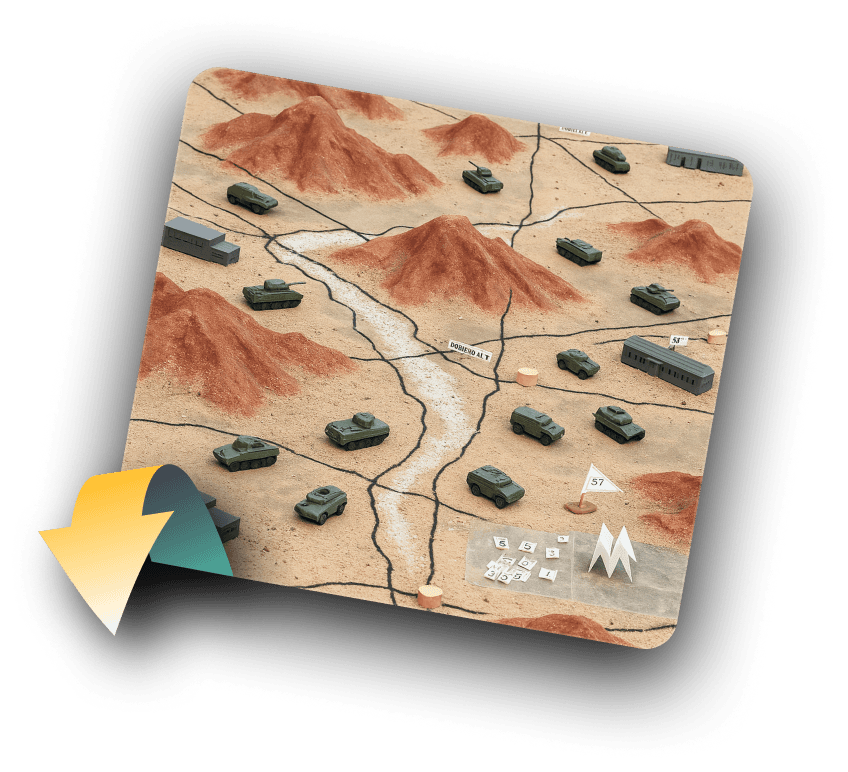
Before
Miniatures
Fixed elements, long setup time, limited scale, no quick edits
After ✨
Collaboration
We mirrored military hierarchy with roles like Host, Editor, and Viewer while keeping everyone aligned, updates live, and plans easy to follow.
Before
Workflow
Military planning follows a strict chain of command. But in crowded rooms, it’s hard to follow fast decisions or see the full plan.
Before
Workflow
Military planning follows a strict chain of command. But in crowded rooms, it’s hard to follow fast decisions or see the full plan.
JUMP TO PROTOTYPE VIDEO
How IT Started
Origin of Planning Sandbox
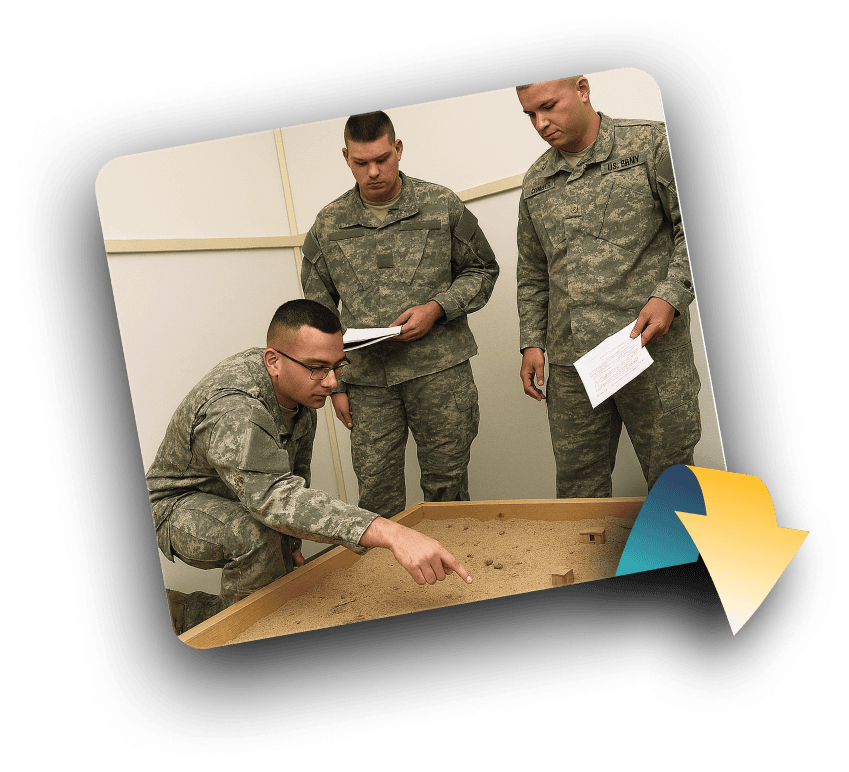
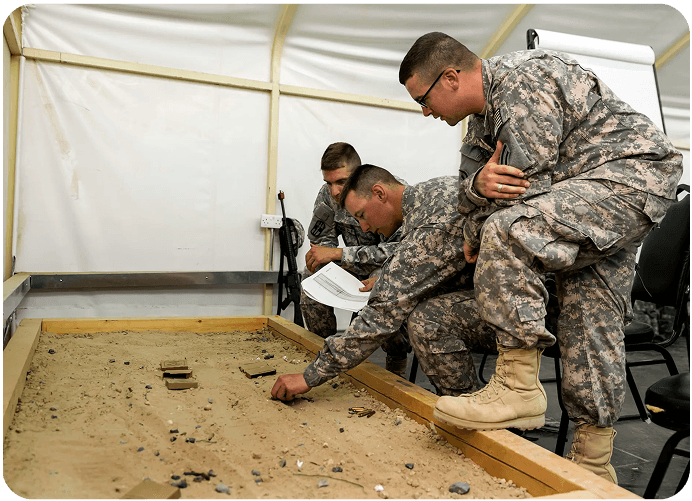
Mission planning in the army still happens around physical sand models & detailed terrain mockups built by hand.
That’s where the problem began, one of the problem statement from the
Army Design Compendium 2025 highlighted:
“Current terrain models used for planning & training in the Indian Army are static, prefabricated, & unable to replicate or adapt to exact terrain.”
That one insight made us think.
These legacy tools were slow, costly, and impossible to adapt once built. Any strategic shift meant starting from scratch and once a mission was complete, there was no intuitive way to review what actually happened in that space.

IMG
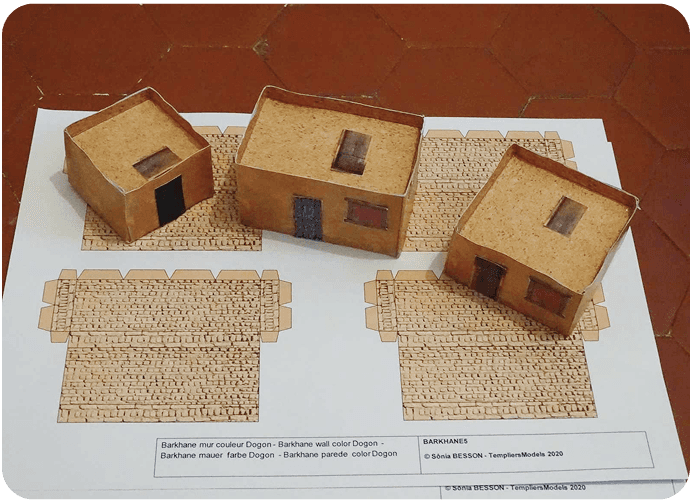
Physical Sand Models
IMG
Handmade miniatures used in sand models
So we asked :
“What if terrain could be digital, immersive, and shared in real time?”
First Proof of Concept (POC)
AR Mission Playback
That led us to build our first Proof Of Concept (POC) -
an AR-based prototype of a holographic mission debriefing tool that pulled terrain data from GIS and let users walk through the mission together, replaying what happened clearly, spatially, and collaboratively. This POC was just a way to show what we could build and how far modern mission tooling could go.

VID
Here’s the POC in action : our AR Tabletop Holographic mission debriefing tool, replaying air missions using real terrain data and interactive spatial playback.
VID
Here’s the POC in action : our AR Tabletop Holographic mission debriefing tool, replaying air missions using real terrain data and interactive spatial playback.
USER FEEDBACK on our POC
Aero India 2025 : Our PoC Meets Real Users for the First Time
We showcased the Proof Of Concept at Aero India 2025.
The response was immediate and validating. Senior leadership, including the Chief of Defence Staff saw its relevance and promise. What started as an internal experiment quickly turned into a serious product direction.
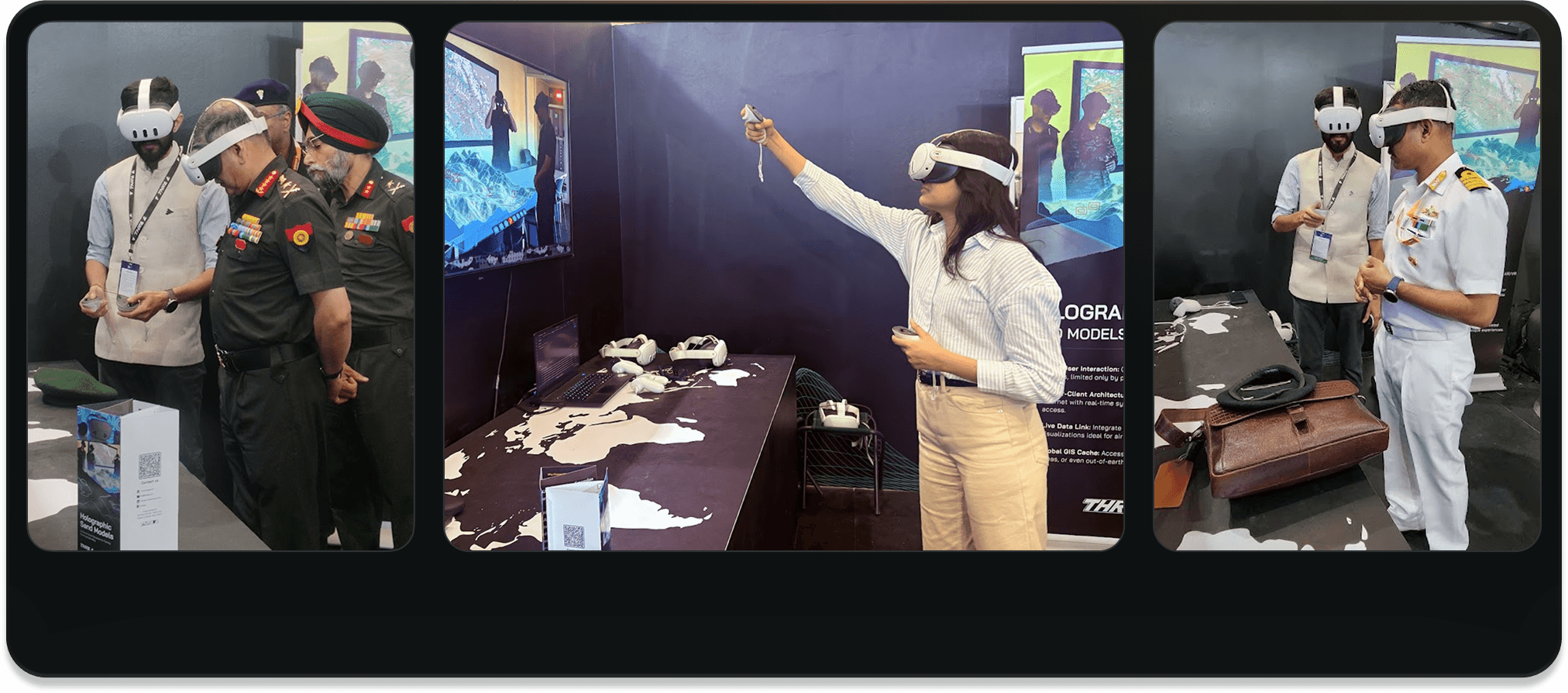
IMG
Aero India 2025 : Defence personnel trying our AR prototype for the first time. We put our concept in front of those who would use it.
Listening First: When Users Show You What to Build Next
We showcased the debriefing prototype: a shared AR environment where teams could review past missions using real-world terrain and flight data. That was our pitch.
But after interacting with the debriefing tool, multiple officers began asking questions we hadn’t planned for:
“This is great for review but can we plan missions like this too?”
“What if we could place units ahead of time on terrain like this?”
“Could this work as a real-time sand model?”
What followed were informal but note worthy conversations. They began telling us how planning actually works on the ground.
In a briefing room, officers gather around a miniature sand model: roads marked with string, units with flags. One officer leads, the rest listen. A bumped marker can throw off the whole plan.
That moment reframed everything. Our goal wasn’t just to go digital it was to go structured. Mimic the planning room, not disrupt it.
USER Research
Understanding the Real-World Briefing Workflow
From those early field conversations, I picked up few key characteristics to note :
It’s always role-based: Command vs Contributor vs Passive Receiver
Planning happens visually and spatially: sand model/map is the centrepiece
Real-time collaboration is limited, only one person typically speaks at a time
Too many voices around the sandbox, it’s easy to miss key decisions happening across the table.
What they wanted wasn’t just a digital product, they wanted the physical workflow, made better.
Unsaid expectations
Faster changes without breaking structure.
Clear visibility of actions and decisions.
A shared space where hierarchy remains intact.
That understanding shaped my core product direction. Instead of flattening roles like most collaborative software, I leaned into them.
Ground Realities → Digital Expectations
We spoke with multiple military units to understand:
What tools they use now (mostly verbal + hand-drawn maps)
Why collaboration often breaks down
How roles differ in control needs :
Host
Commanders
needed control.
Editor
Planners needed freedom to act but supervised by host.
Viewer
Trainees/Observers just needed to watch & understand.
Approach
A New Mission Emerges: Planning, Not Just Debriefing
That feedback turned our focus from post-mission review to pre-mission planning.
Which directed the second half of our journey, designing a collaborative briefing and planning tool that could replace legacy sand models.
That idea became the Planning Sandbox, a real-time, web-based platform for collaborative, terrain-based mission planning that brought hierarchy, collaboration, and structure to the process.
Now, our product suite had two parts:
Planning Sandbox (Web App)
In Scope
A pre-mission platform to collaboratively place, move, and assign tactical assets on realistic 3D terrain. (This case study focuses on this product)

Debriefing Tool (AR)
A post-mission platform to view mission outcomes together as a holographic playback.
Solution
Complete Prototype Video of Major Flows
This prototype video covers all major flows : how mission planners can set up a scenario, explore the map in detail, switch between 2D and 3D views, place key assets, and manage who can edit them, all in a streamlined, collaborative workflow

VID
Flows (1-5) : Scenario Setup, Zoom In Flow, Map 3D view, Adding Assets, Edit Access.
DESIGN DECISIONS
Design Decisions
As the product took shape, the core features were in place but refining how they worked together was just as critical. This phase wasn’t about adding more, it was about shaping what was already there. Here are a few design decisions that quietly but significantly shaped the final experience.
01
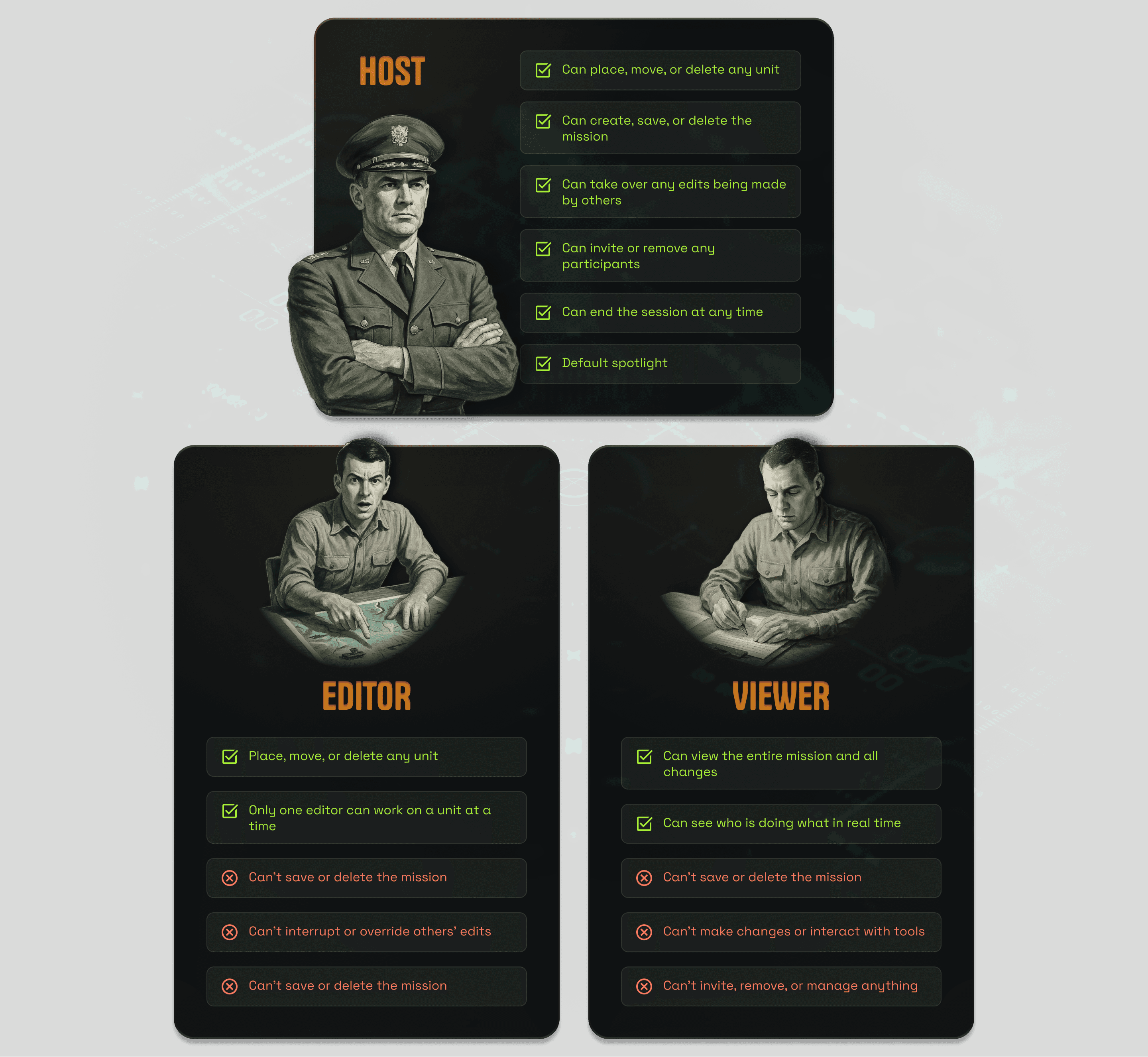
Matching Role Hierarchies to Real Hierarchies
As I’d already discovered earlier in the project, this wasn’t a flat collaboration space, it demanded structure, authority, and a clear chain of command.
So I designed roles: Host, Editor, Viewer, not just for permission control, but to mirror how real military briefings work.
The host had override control. Editors could contribute but not overstep. Viewers were passive participants who needed clarity, not tools.
This role design didn’t just organize the interface, it created trust in the product, especially for teams used to strict protocol.
02
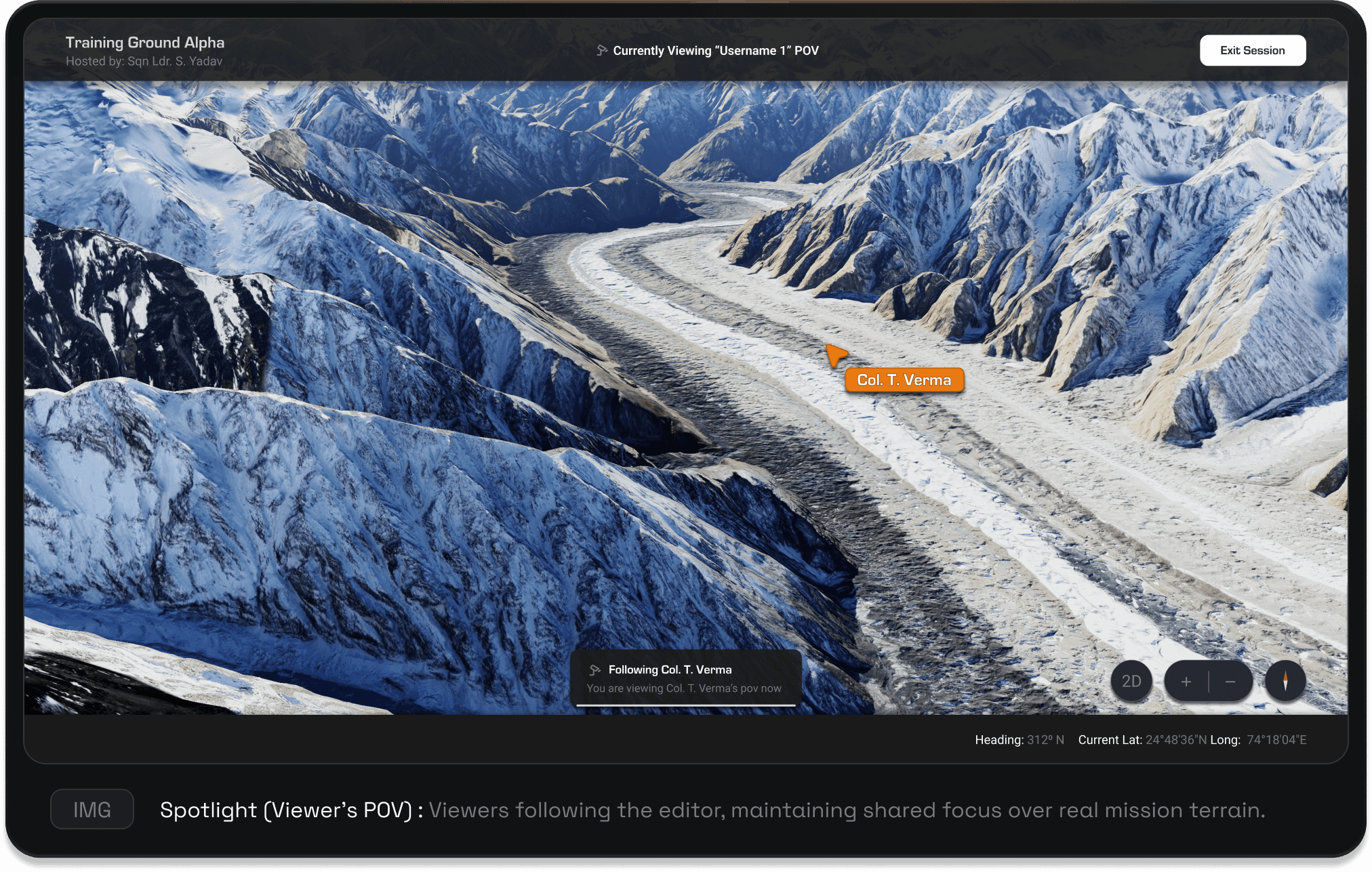
Viewers That Stay in Sync
In the field, clarity depends on following the commanding officer’s lead.
To carry that structure into the product, I designed the viewer screen to anchor the camera to the host’s perspective by default. This ensures observers stay aligned with the lead narrative. When an editor takes control to highlight their work, the camera smoothly transitions to their spotlight, so viewers always see what matters most.
It’s a simple but powerful way to maintain clarity, hierarchy, and collective focus without ever breaking flow.
03
Multi-Level Zoom Visual Hierarchy
The zoom behavior was structured to balance clarity at scale with mission-critical detail. Unlike consumer mapping apps, this tool must let users instantly assess team dominance across large areas while retaining the ability to drill down to asset specifics without cognitive overload.
Showing team colors first helps users quickly understand control and alignment across the map. As they zoom closer more details like asset types and positions are shown that lets the team switch from a broad strategic view to precise control without losing the context.
VID
Multi-Level Zoom: From broad mission view to precise asset detail, always in context.
Key Insights
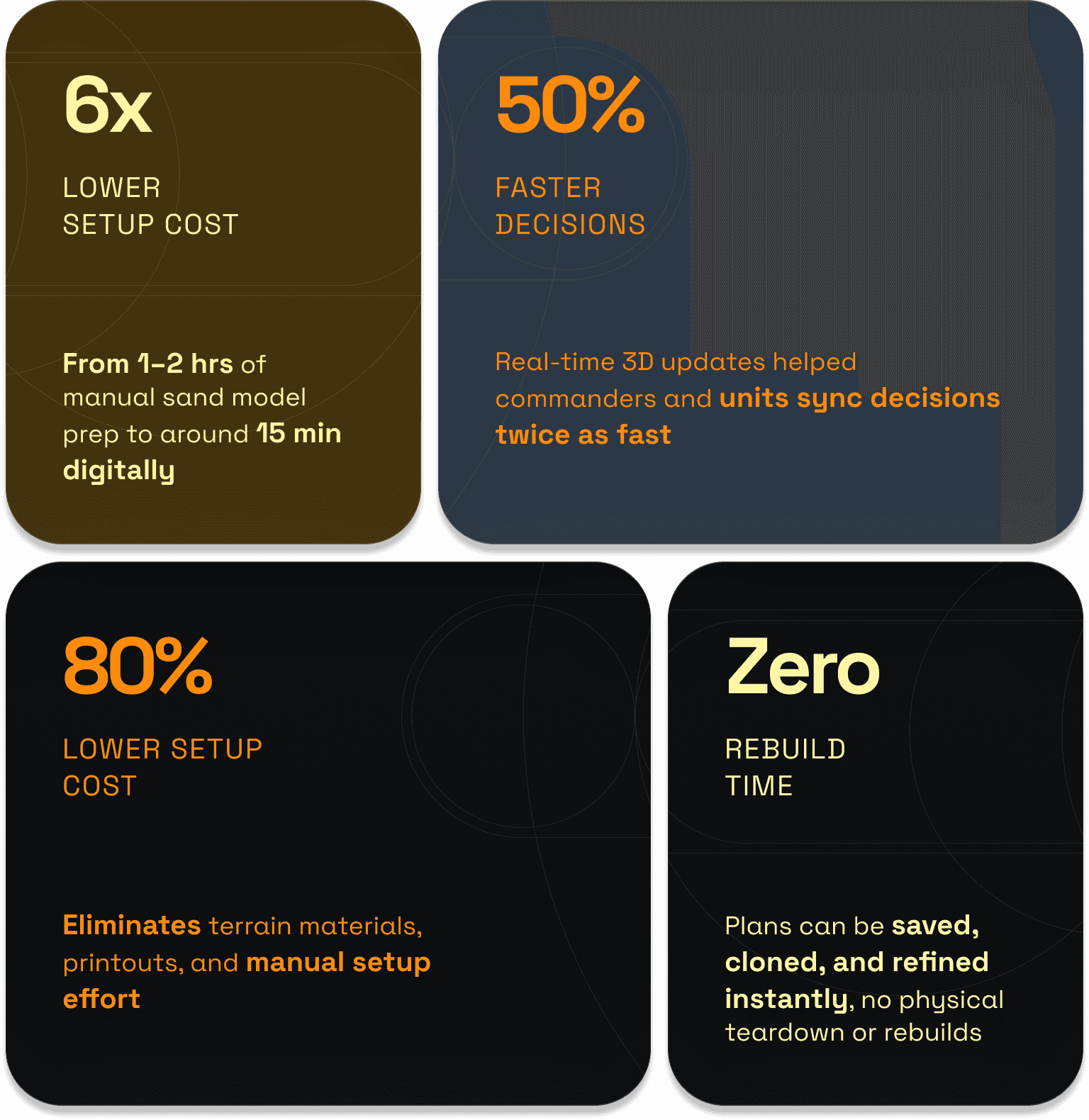
Impact
And finally the results …
KeY Takeaways
Mirror, don’t reinvent
Military workflows follow strict protocols. Trying to “modernize” them without respecting their structure would’ve failed. Instead of replacing them, I designed around real roles and responsibilities. That kept the tool intuitive and avoided unnecessary complexity.
Adapt Fast, Rethink Early
When user feedback shifted the problem from debriefing to planning, I quickly pivoted direction, a reminder that product thinking, adaptability, and strategic decision-making matter just as much as design craft.
Build for Focus, Not Just Function
Powerful tools can quickly turn overwhelming. I learned to design interfaces that guide attention, not by limiting control, but by shaping how and when it’s surfaced.
BACK TO THE TOP
Virtual Planning Sandbox
How we helped Army Units move from static sand models to a digital planning tool that enables real-time collaboration across ranks
Virtual Planning Sandbox
How we helped Army Units move from static sand models to a digital planning tool that enables real-time collaboration across ranks
Big ideas deserve big screens.
Try viewing on desktop.